Turn a photo into a tattoo stencil
Upload a photo, get clean solid lines, and download a print-ready stencil at 300 DPI. Background removed automatically.
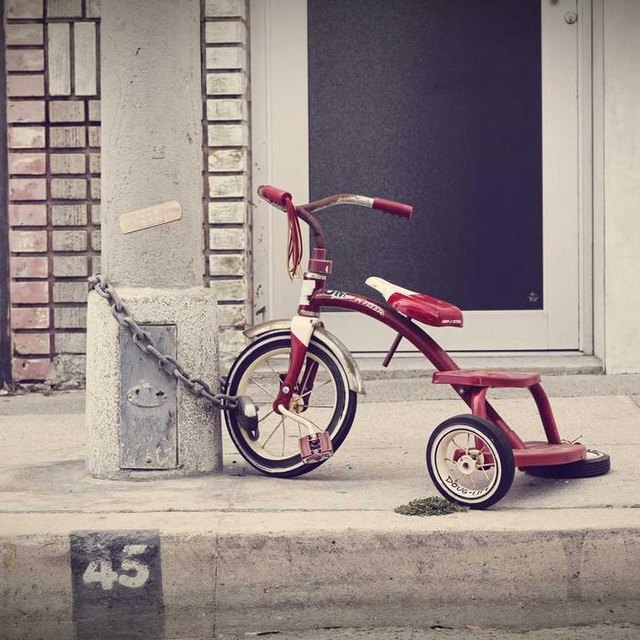
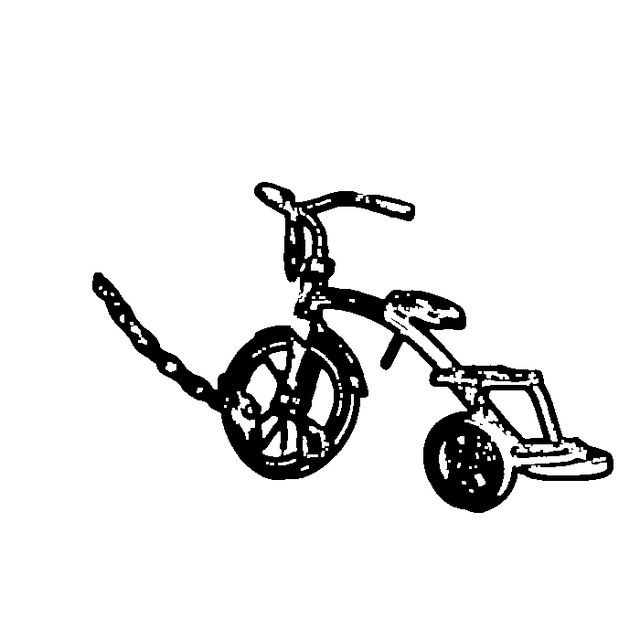
Pick a detail level, then Generate
Start your stencil your way
Four ways in — all of them end with a printable file.
From a photo
Pets, portraits, objects. The background is removed before any line work.
From a drawing
Already have artwork? Upload the sketch and get a clean transferable line version.
Control the detail
Three levels, from bold blackwork shapes to fine line. See the difference live.
Export a stencil
300 DPI PDF at A4 or Letter, mirrored, ready for thermal paper or gel transfer.
Photo to print in three steps
No prompt writing, no layer stacks, no design software.
Upload a photo
One clear subject works best. The background is removed automatically — walls and furniture never become lines.
Pick a detail level
Bold for blackwork, Fine for delicate line work. Adjust until the main contours read clearly.
Download the stencil
A PNG for reference and a 300 DPI PDF for printing. Mirror option for transfer paper.
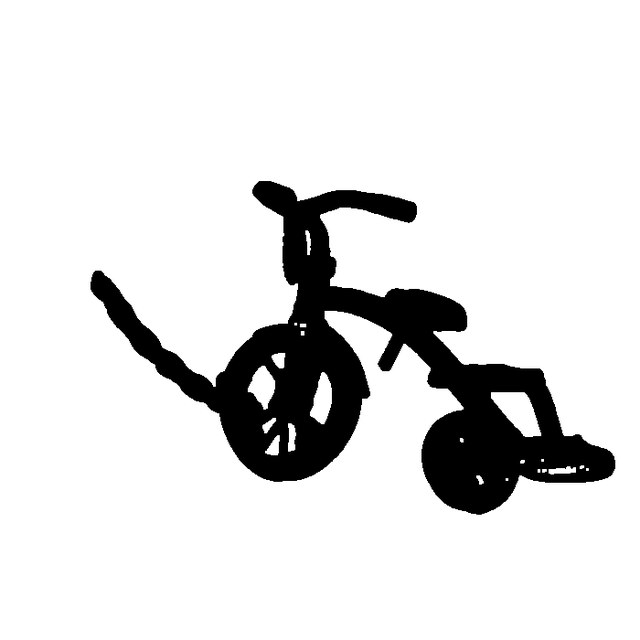
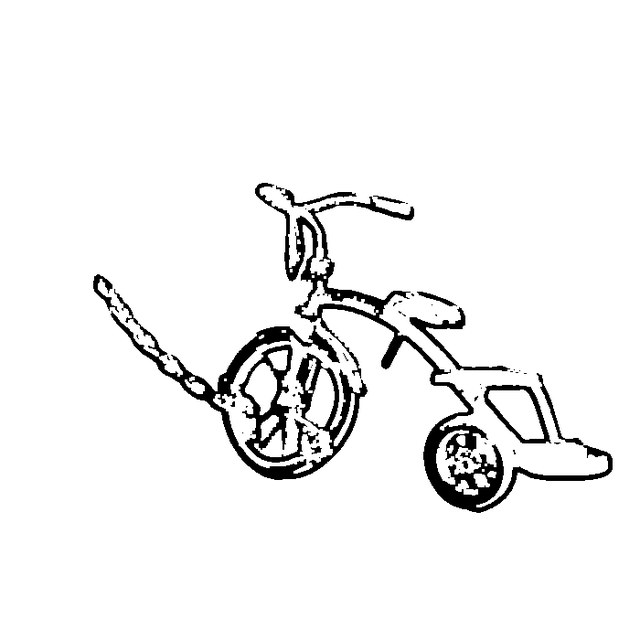
One photo, three line weights
The same input, rendered at each setting. This is the actual output of the tool — not a mockup.
What every export contains
Built to be printed, not to look good in a browser. Every stencil leaves with the same specification.
- Resolution300 DPI at final size
- Page sizeA4 or Letter, 12 mm margins
- MirroredFlipped horizontally for face-down transfer
- Line styleSolid black, pure white gaps — no grey
- Print sizeSet anywhere from 3 cm to 30 cm
- CalibrationCorner crop marks + 100 mm scale bar
- FormatPDF for printing, PNG for reference
Free to try, $9.99 to print
One-time payment. No subscription, no account required to preview.
Free preview
- 512 px preview
- All three detail levels
- 5 previews per day
- Watermarked · no PDF export
Unlock
- 2000 px output, no watermark
- 300 DPI stencil PDF
- A4 / Letter + mirror print
- Exact print size, 3–30 cm
- Commercial use included
Questions
Can I turn any photo into a tattoo stencil?
Any photo with one clear subject. The background is removed first, so walls and furniture do not become lines. Blurry or very dark photos produce weaker line work.
What is the difference between Bold, Balanced and Fine?
Bold keeps solid black shapes and works for blackwork. Balanced keeps the contour plus some interior lines. Fine drops most interior detail and leaves thin lines for small pieces.
Do I need a thermal stencil printer?
No. Print on plain paper and transfer with stencil gel, or send the PDF to a studio that has a thermal printer.
Why is the stencil mirrored?
Stencils are applied face-down, so the design has to be flipped horizontally or it transfers backwards. Every export is mirrored by default.
What do I get for $9.99?
Full-resolution output without a watermark, the 300 DPI stencil PDF, and a commercial-use licence. One-time payment, no subscription.
What happens to my photo?
It is processed on our server and deleted within 24 hours. It is not used to train models and it is not shared.